

โพสต์ไม่ได้รับการแปล
หากโพสต์แบบกำหนดเองของคุณไม่ได้รับการแปล ให้ตรวจสอบบันทึกเพื่อค้นหารายการข้อผิดพลาดหรือคำเตือนที่อธิบายสาเหตุของปัญหา
ในการแก้ไขปัญหา คุณอาจต้องกำหนดค่าการตั้งค่าให้ตรงกับความต้องการของคุณ หรืออาจต้องสร้างโพสต์ใหม่หากมีข้อมูลที่ล้าสมัย/เสียหายอยู่
สาเหตุที่พบบ่อยที่สุดและวิธีแก้ไขมีดังนี้:
ไม่มีรายการการแปลอยู่
หากคุณเห็นคำเตือนแบบนี้:
Warning [Query "translate-customposts"] Execution successful, but with warnings: 🟡 No custom post(s) was translated, because no translation entries exist. In the plugin Settings, enable the 'Automatic creation of translation entries' option for CPT 'post'; or otherwise, create those translation entries using Polylang (clicking on the '+' link), then trigger the translation....นั่นหมายความว่ารายการการแปลสำหรับโพสต์แบบกำหนดเองของคุณยังไม่ได้ถูกสร้างขึ้น (ก่อนที่จะเรียกใช้การแปล)
ในการตั้งค่าปลั๊กอินภายใต้ General Configuration ให้ตรวจสอบว่าตัวเลือก Automatic creation of translation entries เปิดใช้งานสำหรับ CPT นั้นหรือไม่:
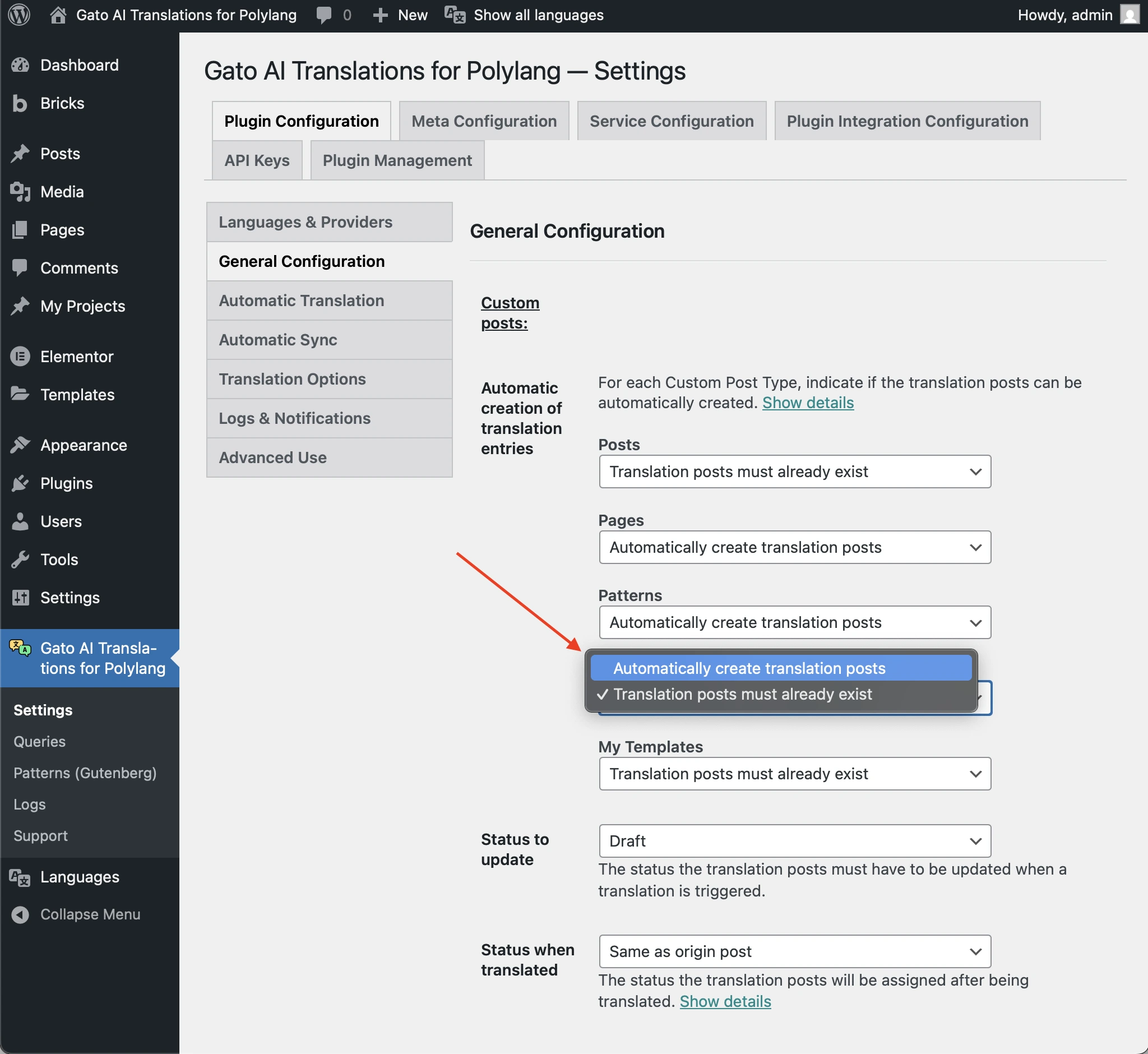
หากยังไม่ได้เปิดใช้งาน และ CPT นั้นใช้ wp_insert_post เพื่อสร้างรายการ ให้เปิดใช้งานตัวเลือกนั้น
มิเช่นนั้น คุณต้องสร้างรายการการแปลเหล่านั้นโดยใช้ Polylang ก่อน (โดยคลิกที่ลิงก์ +) จากนั้นจึงเรียกใช้การแปล
รายการการแปลไม่มีสถานะที่คาดหวัง
หากคุณเห็นคำเตือนแบบนี้:
Warning [Query "translate-customposts"] Execution successful, but with warnings: 🟡 No custom post(s) was translated, because the translation entries (CPT: 'post', IDs: [48634]) do not have the expected status: 'draft'. If this is unintended, either update the and/or 'Status to synchronize' options in the plugin Settings, or change the status of the translation entries accordingly....นั่นหมายความว่ารายการการแปลมีสถานะที่แตกต่างจากที่กำหนดไว้ในการตั้งค่าปลั๊กอิน
ตัวอย่างเช่น หากตัวเลือก Status to update ถูกตั้งค่าเป็น draft และรายการการแปลมีสถานะเป็น publish การแปลจะไม่ถูกสร้างขึ้น
ในการตั้งค่าปลั๊กอินภายใต้ General Configuration ให้ตรวจสอบว่าตัวเลือก Status to update ถูกตั้งค่าเป็นสถานะที่คาดหวังหรือไม่:
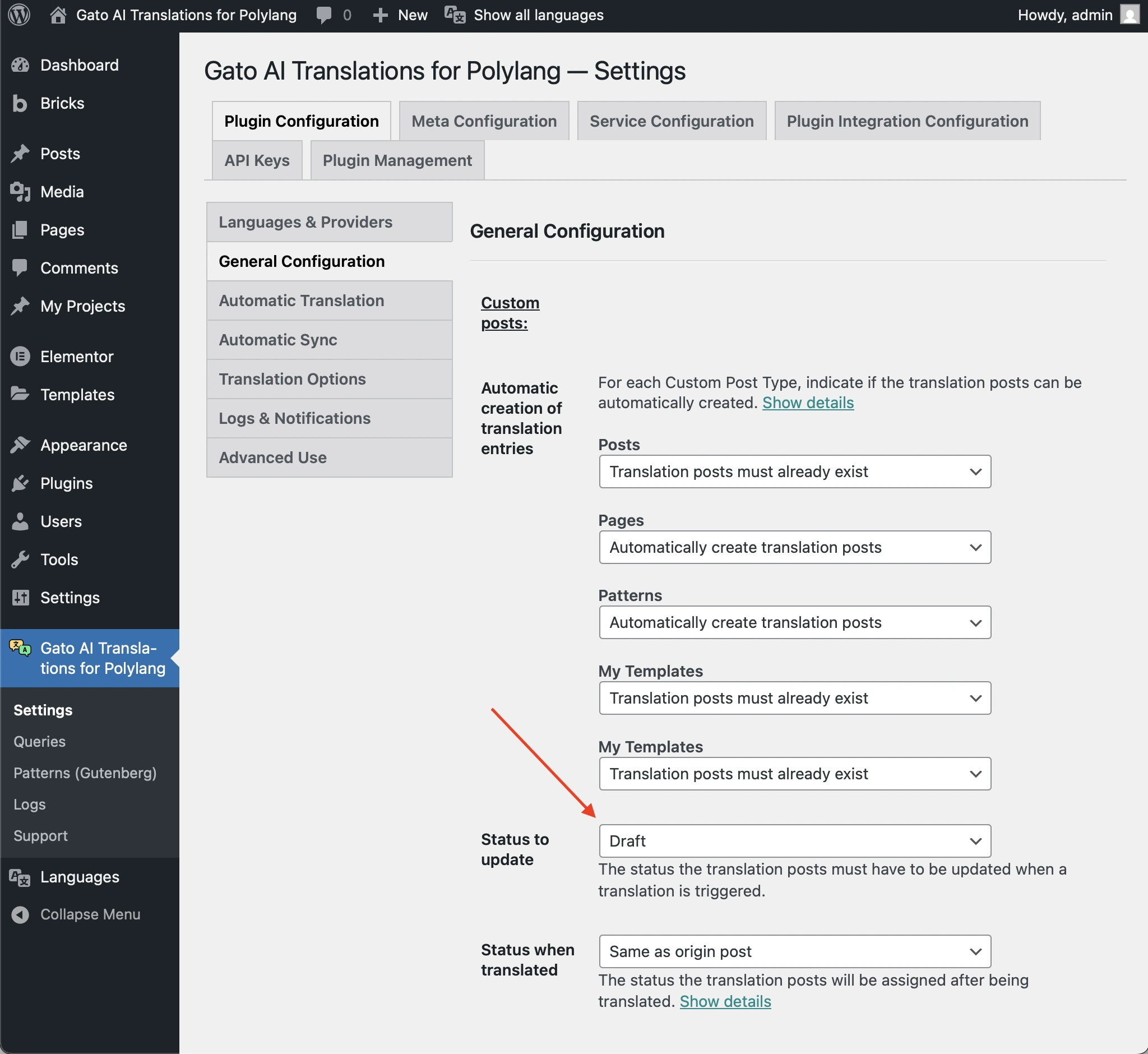
มิเช่นนั้น ให้เปลี่ยนสถานะของรายการการแปลให้เหมาะสม
โพสต์มีข้อมูลที่ล้าสมัย/เสียหาย
หากคุณเห็นคำเตือนแบบนี้:
Warning [Query "translate-customposts"] Execution successful, but with warnings: 🟡 There are no custom posts to translate...และรายการบันทึกแสดงว่าแม้โพสต์จะมีโพสต์การแปลอยู่ แต่ไม่สามารถรับรู้ได้ แสดงว่าโพสต์อาจมีข้อมูลที่ล้าสมัย/เสียหายที่ต้องลบออก
ตัวอย่างเช่น ให้ตรวจสอบ "Additional context" ในรายการบันทึกนี้:
{
"queryExecutionResponse": {
"data": {
"originCustomPosts": [
{
"__typename": "GenericCustomPost",
"id": 16597,
"polylangLanguageLocale": {
"code": "en"
},
"polylangLanguage": "en",
"originCustomPostHasDefaultLanguage": true,
"isTranslateFromLanguageProvided": true,
"originCustomPostHasSpecificLanguage": true,
"canTranslateOriginPostFromSpecificLanguage": true,
"canTranslateOriginPost": true,
"customPostIDTranslationCustomPostIDLanguageIDs": {
"es": 16613
},
"hasTranslationCustomPosts": true
}
],
"customPostIDTranslationCustomPostIds": {
"16597": [
16613
]
},
"translationCustomPostIdsList": [
[
16613
]
],
"translationCustomPostIds": [
16613
],
"translationCustomPostIdToCustomPostIDs": {
"16613": 16597
},
"emptyTranslationCustomPostVars": [],
"hasTranslationCustomPosts": false
}
}
}ในตัวอย่างข้างต้น โพสต์ต้นฉบับภาษาอังกฤษที่มี ID 16597 ("id": 16597, "polylangLanguageLocale": { "code": "en" }) มีโพสต์การแปลภาษาสเปนที่มี ID 16613 ("customPostIDTranslationCustomPostIDLanguageIDs": { "es": 16613 }) แต่ไม่สามารถรับรู้ได้ ("hasTranslationCustomPosts": false)
ในกรณีนี้ โพสต์การแปลที่มี ID 16613 ไม่มีอยู่อีกต่อไปแล้ว แต่ความสัมพันธ์ Polylang ในโพสต์ที่มี ID 16597 ไปยังโพสต์นั้นยังไม่ได้ถูกลบออก
เนื่องจากข้อมูลที่ล้าสมัย/เสียหายนี้ ปลั๊กอินจึงไม่สามารถแปลโพสต์ได้
ในการแก้ไขปัญหา คุณต้องสร้างโพสต์ต้นฉบับใหม่และแปลโพสต์นั้น จากนั้นลบโพสต์การแปลที่เสียหายออก