การแปล HTML Elements
คุณสามารถแปล HTML elements จาก page builder ต่างๆ ได้โดยอัตโนมัติ:
- Gutenberg: HTML blocks
- Elementor: HTML widgets
- Bricks: Code elements
เปิดใช้งานการแปล HTML Elements
ขึ้นอยู่กับ page builder ที่คุณใช้งาน คุณสามารถเปิดใช้งานการแปล HTML elements ได้ดังนี้:
Gutenberg
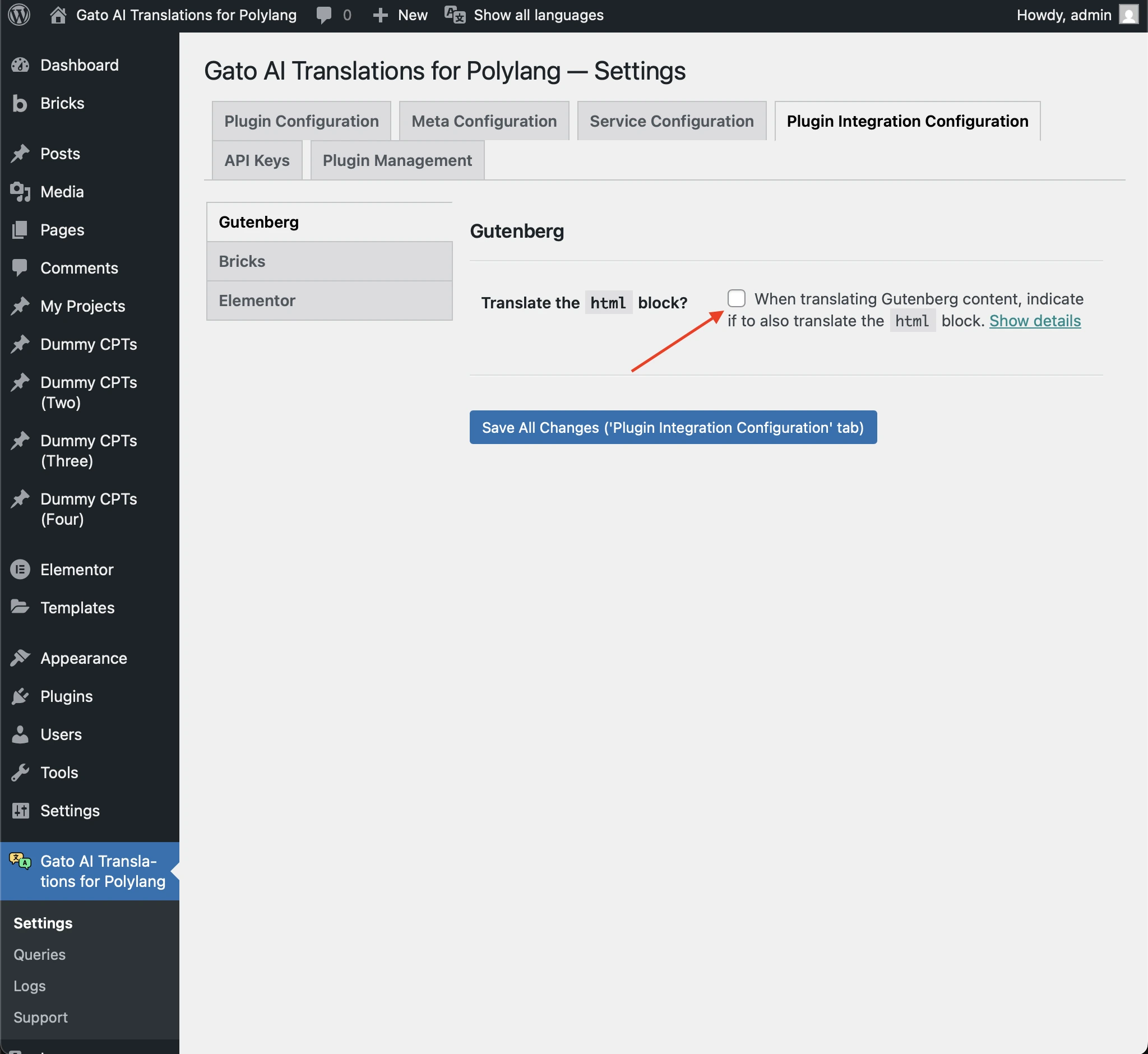
แปล html blocks ใน Gutenberg โดยไปที่ Settings > Plugin Integration Configuration > Gutenberg แล้วเลือก checkbox ที่เกี่ยวข้อง:
Elementor
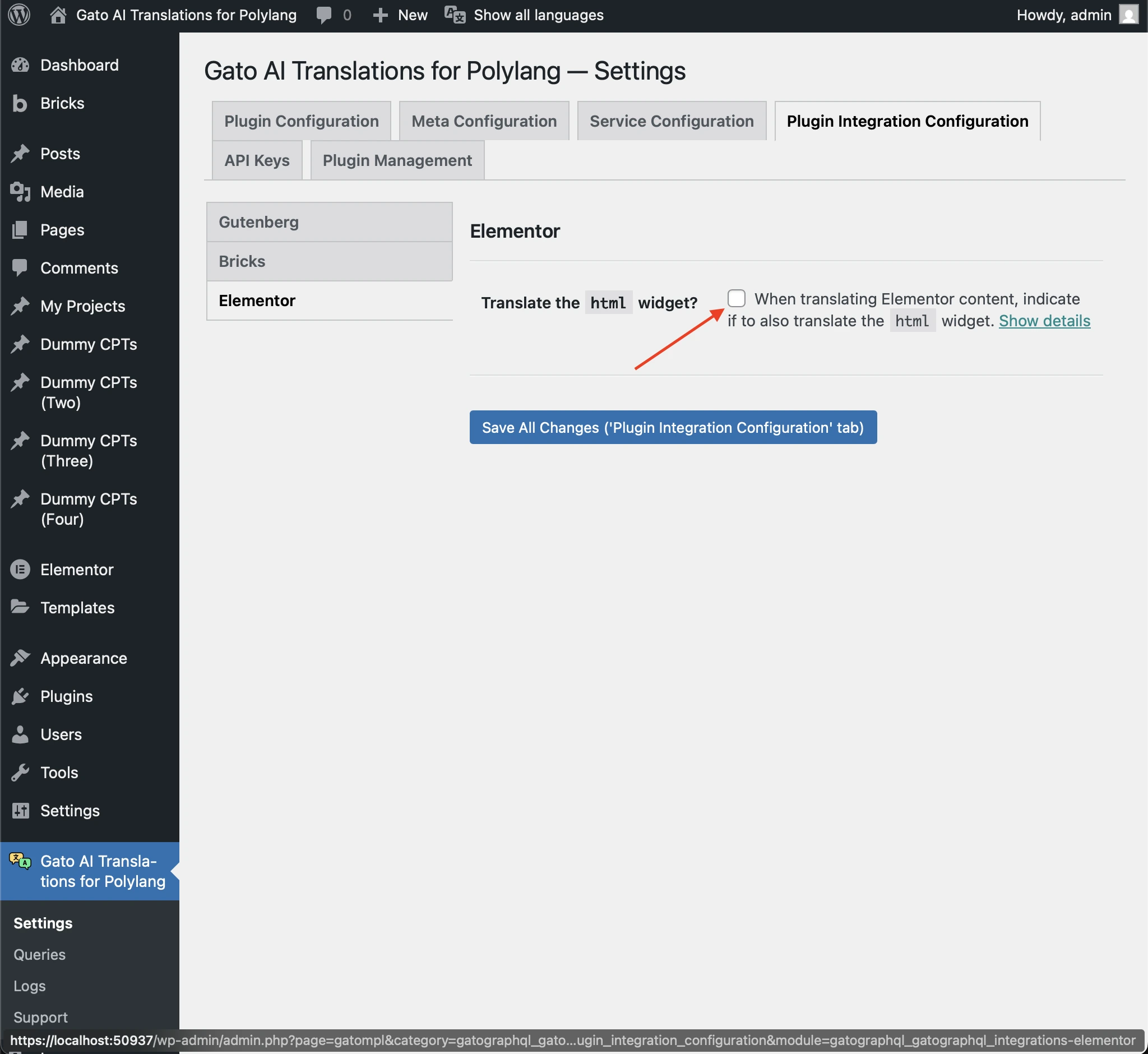
แปล html widgets ใน Elementor โดยไปที่ Settings > Plugin Integration Configuration > Elementor แล้วเลือก checkbox ที่เกี่ยวข้อง:
Bricks
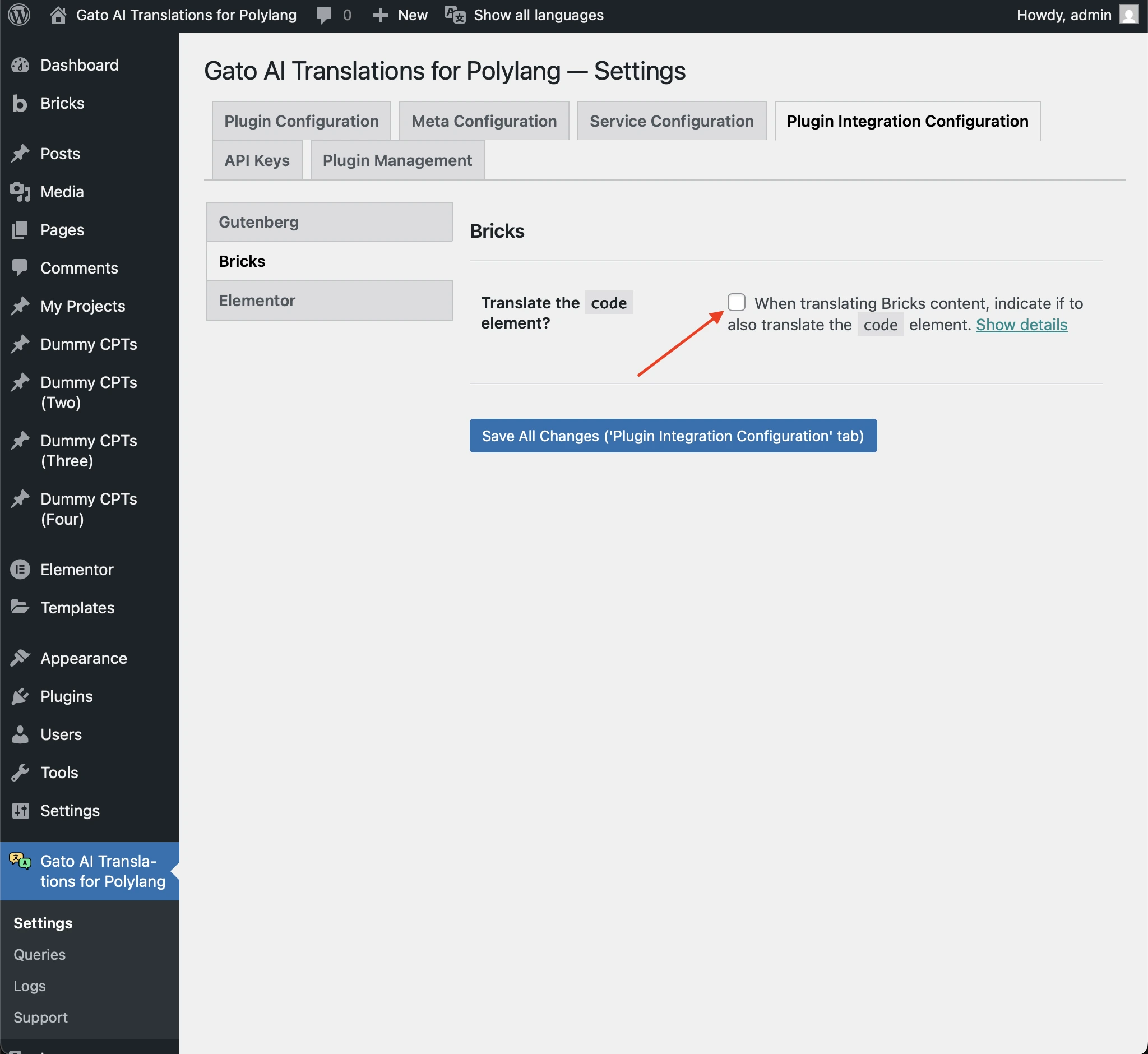
แปล code elements ใน Bricks โดยไปที่ Settings > Plugin Integration Configuration > Bricks แล้วเลือก checkbox ที่เกี่ยวข้อง:
ข้ามการแปล HTML items บางรายการ
หากคุณเปิดใช้งานการแปล HTML elements แล้ว แต่มี HTML items บางรายการที่คุณไม่ต้องการแปล คุณสามารถกำหนดได้
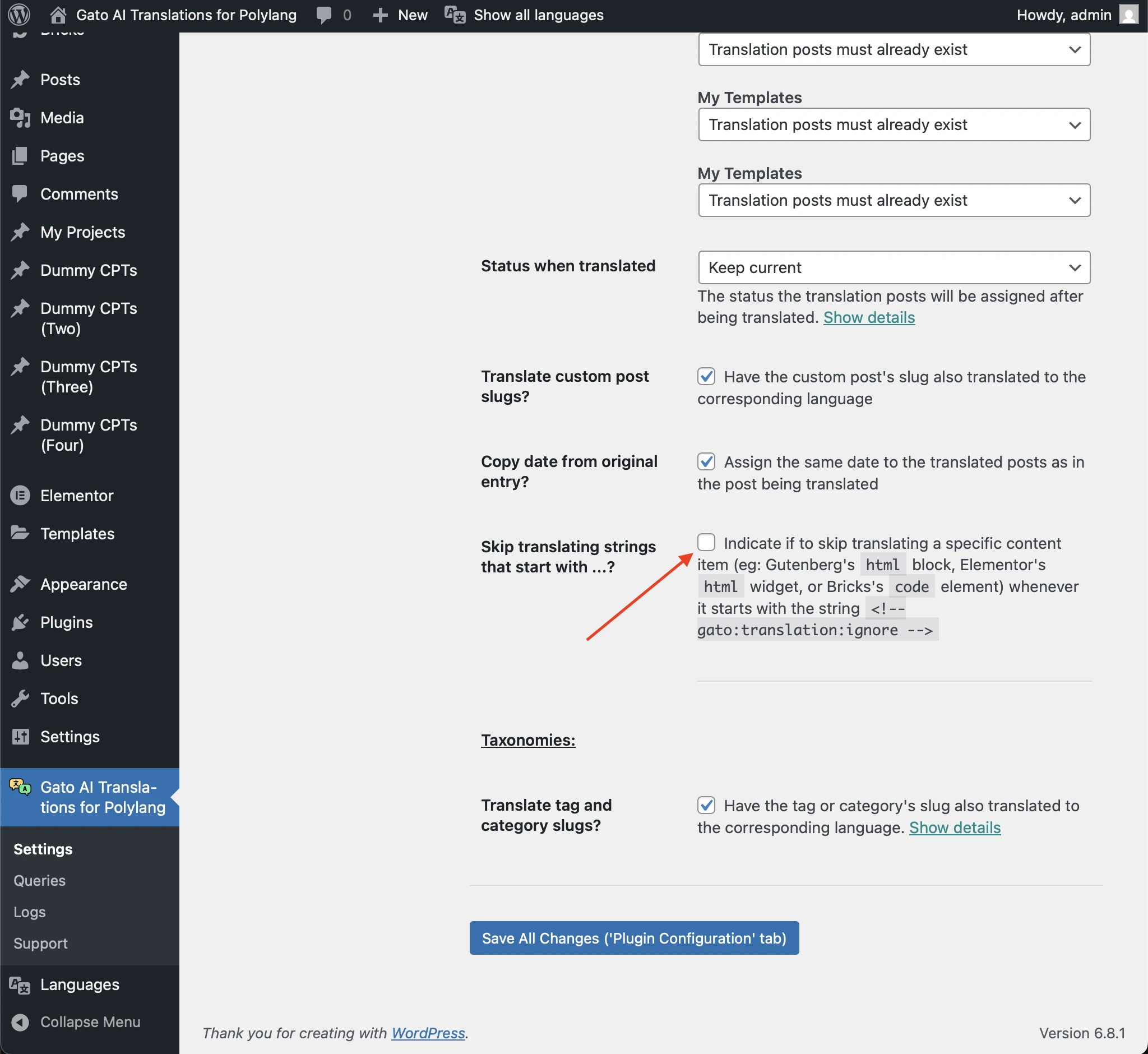
ไปที่ Settings > Plugin Configuration > General Configuration แล้วเปิดใช้งานตัวเลือก Skip translating strings that start with ...?
ขณะนี้ รายการใดก็ตามที่ขึ้นต้นด้วยสตริง <!-- gato:translation:ignore --> จะไม่ถูกแปล